


Last Updated: October 23, 2026
Quick Summary
Reliable endpoint security for remote work is one that covers every device, works off-network, and produces alerts your team can actually act on. Judge options against those three tests, not against a feature list, and be honest about your IT capacity before you buy.
- Set software updates to run automatically and check compliance weekly.
- Full-disk encryption turns a stolen laptop into a paperweight.
- EDR can isolate a device from the network before ransomware spreads.
- Target endpoint coverage above 95 percent of known devices reporting in.
- Roll out in waves: IT staff first, then a pilot group, then the wider team.
Table of Contents
- Why Reliable Endpoint Security for Remote Work Breaks Down
- Remote Work Security Best Practices That Hold Up
- Endpoint Detection and Response (EDR) for Remote Work
- Remote Endpoint Management Without the Guesswork
- Building a Remote Work Device Security Policy
- How to Choose Reliable Endpoint Security for Remote Work
- Deployment, Monitoring, and Incident Response in Practice
- Frequently Asked Questions
Why Reliable Endpoint Security for Remote Work Breaks Down
Endpoint security is the practice of protecting every laptop, phone, and tablet that connects to your business network, no matter where that device sits. For remote teams, that protection is harder to deliver than it looks.
The breakdown rarely comes from a missing product. It comes from a gap between what the office network assumes and what a home connection actually is.
Three failures show up again and again:
- Visibility gaps. IT cannot see a device that never touches the office network.
- Policy drift. Rules written for office machines do not cover personal phones and home PCs.
- Alert fatigue. Tools fire so often that real threats get buried.
Most guides treat remote work security as a tooling problem. It is not. It is a coverage problem.
Remote Work Security Best Practices That Hold Up
The best remote work security practices share one trait: they assume the device is already exposed. Build from that assumption and the controls get simpler.
Start with these, in order:
- Patch fast. Set software updates to run automatically and check compliance weekly.
- Encrypt every disk. Full-disk encryption turns a stolen laptop into a paperweight.
- Enforce multi-factor authentication. Passwords alone fail against phishing.
- Apply least privilege. Staff get the access their job needs, nothing more.
- Filter DNS traffic. Block malicious domains before a click does damage.
- Train people on phishing. Human error is the most common entry point for cyberattacks.
The UK National Cyber Security Centre guidance on device security frames this as layers, not a single fix. That matches what we see in practice. No one control carries the load.
For teams that want to build internal skills rather than outsource everything, structured training helps. Our comprehensive IT certification career accelerators give IT staff a path from awareness to hands-on capability.
Set patch deadlines by risk, not by convenience. Browsers and email clients get updated within days. Line-of-business apps can follow a slower cycle. Most breaches exploit known, already-patched flaws.
Endpoint Detection and Response (EDR) for Remote Work
Endpoint detection and response (EDR) is software that watches device activity, spots suspicious behavior, and gives IT the tools to investigate and contain a threat. Traditional antivirus matches known bad files.
The practical difference for a distributed team is response speed. When a laptop on a home network starts encrypting files, EDR can isolate that device from the network before ransomware spreads. Antivirus alone often cannot.
What separates a good EDR deployment from a noisy one:
- Tuned detections. Default rules generate noise. Tune them to your environment.
- Clear ownership. Someone must own the alert queue, or it rots.
- Fast isolation. One click to cut a device off, then investigate.
- Managed options. Small teams often lack the staff to run EDR well.
That last point is where managed detection and response earns its place. If you are evaluating a managed EDR product you can deploy across a remote team, our robust endpoint protection featuring BullZIGA EDR shows what that package covers.
Remote Endpoint Management Without the Guesswork
Remote endpoint management is the discipline of tracking, configuring, and securing devices you never physically touch. Done well, it runs on a dashboard and a schedule.
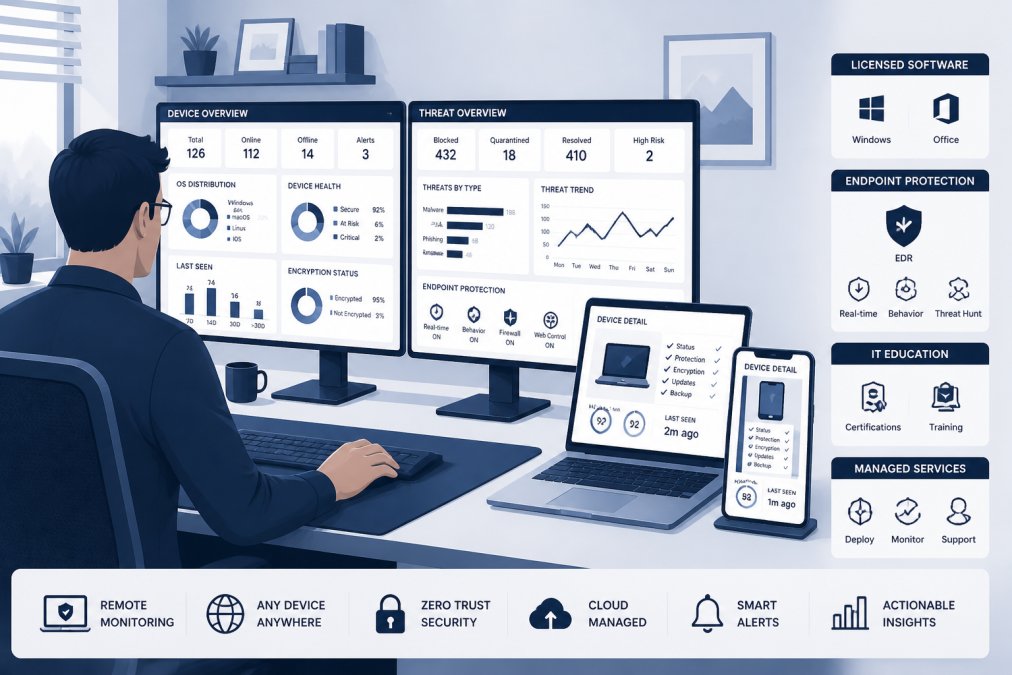
The core capabilities to look for:
- Device inventory. Know every device, its owner, and its patch state.
- Policy push. Apply settings without a desk visit.
- Compliance checks. Flag devices that fall out of line.
- Remote wipe. Erase a lost device without touching it.
A common mistake is managing only company-owned laptops and ignoring phones. Mobile devices carry email and files too. If a phone can reach your data, it belongs in the inventory.
For a remote workforce sized around twenty-five devices, a packaged endpoint security plan removes the setup guesswork. As a trusted Managed Service Provider (MSP), we ensure enhanced threat protection and improved workstation performance.
Building a Remote Work Device Security Policy
Keep the policy short enough that people read it. Cover these areas:
- Approved devices. What hardware and operating systems are allowed.
- Encryption and updates. Required settings, checked automatically.
- Access rules. MFA required, least privilege applied.
- BYOD boundaries. What personal devices may access, and what the company can and cannot see.
- Lost device steps. Who to call, and what IT will do.
- Offboarding. How access is revoked on day one.
The BYOD section deserves care. Employees worry, rightly, about privacy on personal phones. State plainly what the company monitors and what it never touches. A clear boundary builds trust and improves compliance.
Larger remote organizations drafting a policy across many devices can match it to a business-grade plan. Our robust endpoint protection featuring BullZIGA EDR covers that scale with defined terms.
A policy with no enforcement is worse than no policy. If staff learn the rules are optional, compliance drops across the board. Tie access to compliance checks so the policy has teeth.
How to Choose Reliable Endpoint Security for Remote Work
Reliable endpoint security for remote work is one that covers every device, works off-network, and produces alerts your team can actually act on.
Start with a scored selection matrix.
| Criterion | What to Check | Why It Matters | Weight for Small Teams | Weight for Regulated Teams |
|---|---|---|---|---|
| Coverage | Laptops, phones, servers, virtual desktops | Gaps are where breaches start | High | High |
| Off-network operation | Works without office VPN or always-on connection | Remote devices rarely touch HQ | High | High |
| Operating system support | Windows, macOS, Linux, iOS, Android | Mixed fleets are the norm | Medium | Medium |
| Alert quality | Tuned detections, low noise, clear severity | Noisy tools get ignored | High | Medium |
| Response tools | Isolation, remote wipe, script execution | Speed limits damage | High | High |
| Management model | Self-run, co-managed, or fully managed | Small teams need managed | High | Medium |
| Data protection | Full-disk encryption, removable media control | Lost devices are the top remote risk | Medium | High |
| Audit and reporting | Exportable logs, compliance evidence | Regulated teams need proof | Low | High |
| Device count fit | Matches your fleet size without overbuying | Cost and complexity | Medium | Medium |
Work through the matrix in order. Coverage and off-network operation are pass/fail. If a tool fails either, stop there.
What most guides miss is the management model. A capable tool run by an understaffed team underperforms a simpler tool that is actively managed.
Define measurable outcomes before you select a tool, not after. Useful measures include:
- Endpoint coverage: the share of known devices reporting in. Target above 95 percent.
- Patch compliance: the share of devices on the approved patch level within your deadline. Track weekly.
- Encryption coverage: the share of laptops with full-disk encryption enabled and verified.
- Mean time to detect: how long between a suspicious event and an alert reaching a human.
- Mean time to isolate: how long between an alert and a device being cut off from the network.
- Alert volume per week: falling volume with stable coverage usually means tuning is working.
These measures turn a vague selection into a testable one.
For teams comparing options at a specific device count, our robust endpoint protection featuring BullZIGA EDR gives a concrete package to evaluate against your requirements.
Deployment, Monitoring, and Incident Response in Practice
Deployment is where good plans meet real constraints. Roll out in waves, not all at once.
A workable rollout sequence:
- Inventory first. Confirm every device, its owner, operating system, and current patch state before you deploy anything. A device you cannot see is a device you cannot protect.
- Define a policy baseline. Write down the minimum settings every device must meet: encryption on, screen lock, automatic updates, MFA enrolled, approved operating system version. This baseline becomes your compliance check.
- Pilot group. Ten to fifteen users across different roles, operating systems, and network conditions. Include at least one user who travels and one on a slow home connection.
- Fix friction. Address install and performance issues the pilot finds. Slow laptops and blocked applications cause users to disable protection.
- Wider rollout. Move in batches, with a support channel open. Publish a short guide and a contact for problems.
- Verify coverage. Confirm every device reports in and meets the baseline. Chase the exceptions by name.
Monitoring only works with an owner. Assign one person to review alerts daily. Define what counts as urgent, what waits, and what gets closed.
Build an incident response playbook for the scenarios remote teams actually face.
- Lost or stolen laptop. Trigger remote wipe if the device is powered on and connected; if not, queue the wipe for next check-in. Revoke the user’s active sessions and refresh tokens, reset credentials, and review recent sign-in logs for unusual locations. Record the device serial and report the loss according to your policy.
- Suspected malware. Isolate the device from the network first, before investigating. Capture evidence such as running processes and recent downloads, then clean or rebuild the device from a known-good image. Do not return it to the user until it passes the baseline check.
- Phishing click. Reset the account password, revoke sessions, and check for mailbox rules or forwarding the attacker may have added. Review sign-in logs for lateral movement, then notify the user and any affected contacts.
- Compromised credentials. Force a password reset, re-check MFA enrollment, and review access logs for the account. If the account had elevated access, review changes made during the exposure window.
Travel and low-bandwidth scenarios need a plan too. A worker on hotel Wi-Fi or a slow connection may not be able to download updates on schedule.
Track outcomes, not activity.
The measure that matters most is coverage: the share of remote devices you can see and control. Everything else, from patching to response, depends on it.
Frequently Asked Questions
Is it possible to be 100% secure when working remotely?
No configuration makes a remote workforce completely immune to attack. Reliable endpoint security for remote work means reducing risk to a level you can measure and respond to: full-disk encryption on every laptop, multi-factor authentication on every account, DNS filtering and patch management running automatically, and endpoint monitoring that surfaces problems early. Combine those controls with an incident-response plan for lost or compromised devices. The goal is fast detection and containment, not perfection. Teams that accept this and build layered defenses recover faster than teams chasing an impossible zero-risk state.
What endpoint security controls should remote employees use?
At minimum: full-disk encryption, multi-factor authentication, automatic software updates, DNS filtering to block malicious domains, USB device control, and an endpoint detection and response agent on company laptops. Add a VPN or zero trust access layer for anything touching internal systems. Mobile devices need device compliance checks before they reach email or shared files. Document all of this in a remote work device security policy so expectations are clear and enforceable. Employees should also get short, regular security awareness training on phishing and credential handling, since human error remains the most common entry point.
How often should remote endpoints be updated and monitored?
Patches for operating systems and browsers should apply automatically, with critical security updates installed within days rather than weeks. Endpoint monitoring should run continuously, with alerts triaged daily and high-severity detections escalated immediately. Run a formal device compliance review monthly: check encryption status, agent health, patch level, and unauthorized software. Quarterly, review access rights and remove accounts for departed staff. The cadence matters less than the automation behind it. If updates and monitoring depend on someone remembering to check, they will lapse the moment a busy week hits.
How can businesses protect company devices used on home networks?
Treat the home network as untrusted. Enforce full-disk encryption so a stolen laptop yields nothing, require multi-factor authentication for every business account, and route traffic through DNS filtering that blocks known malicious domains. Segment work from personal use where possible: separate user accounts on shared machines, no personal software installs on company devices. Use remote endpoint management to push security policies, patch software, and disable USB storage. For staff handling sensitive data, a company-managed router or a VPN with zero trust access control adds a layer the home network cannot provide on its own.
