


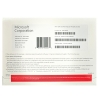
Microsoft Windows 11 Home
Windows 11 Home is the newest easy-to-use operating system from Microsoft, designed for personal use. It has a modern look with a new Start menu and an improved taskbar, making it great to use. With virtual desktops, a better Microsoft Store, and gaming improvements, it helps you work and have fun more efficiently. To work well and stay secure, Windows 11 Home needs specific hardware requirements.
Here are some key features:
- BitLocker device encryption: BitLocker, is a built-in encryption tool for protecting data stored on the device.
- A new and improved Start menu: Expectations are that Windows 11 will feature a new and improved Start menu design that is more touch-friendly, customizable, and easy to use.
- New design and layout: New design and layout, Windows 11 will have a new design and layout with a more modern look, which aims to make the operating system more intuitive and easy to navigate.
- Improved support for touchscreens and stylus: Expectations are that Windows 11 will offer better support for touchscreens and stylus input, allowing users to take full advantage of their devices’ capabilities.
- Improved Windows Snap: Windows 11 is expected to improve Windows Snap, enabling users to easily organize.
- New features for gaming: Windows 11 is expected to have new features that will make it easier for users to play and stream games on their devices, focusing on gaming and gaming streaming.
- Snap Assist: Snap Assist, Allows users to easily organize and arrange multiple open windows on their desktop.
- New security features: We expect Windows 11 to have new security features that will help protect users from malware and phishing.
- Automatic updates: Automatic updates, Windows 11 will continue to automatically update to keep the device running smoothly and securely.
System Requirements:
- Processor: 1 GHz or faster
- RAM: 2 GB for 32-bit or 4 GB for 64-bit
- Hard Disk Space: 32 GB for 32-bit or 20 GB for 64-bit
- Display: 800×600 resolution
- Graphics: DirectX 9 or later with WDDM 1.0 driver
- Connectivity: Internet connectivity is necessary to perform updates and to download and take advantage of some features.
Microsoft Office 2021 Pro Plus
Microsoft has released Office 2021, the newest set of useful tools for work. It includes programs like Word, Excel, and PowerPoint. It’s easy to use and has lots of helpful features for making documents, analyzing data, and creating presentations that look great. Perfect for getting work done in today’s world.
Here are some Key Features of Microsoft Office 2021 Professional Plus:
- Updated Applications: Office 2021 includes the latest versions of Word, Excel, PowerPoint, and Outlook, with new features and improvements.
- Enhanced Collaboration: Users can work together at the same time on documents, spreadsheets, and presentations, even if they are in different locations.
- Improved Performance: Office 2021 offers faster and more efficient performance, allowing users to complete tasks quickly and smoothly.
- Advanced-Data Analysis: In Office 2021, Excel has better tools to organize, analyze, and visualize data for improved data analysis.
- Modern Design and Templates: In Office 2021, the appearance of the program looks new and modern, and there are many ready-made templates for documents and presentations.
- Accessibility Features: Office 2021 includes accessibility improvements, making it easier for users with disabilities to access and work with documents.
- Enhanced Security: Office 2021 has advanced security features, protecting documents and data from potential threats and ensuring data privacy.
- Offline Availability: Office 2021 allows users to work offline, ensuring productivity even without an internet connection.
- Integration with Cloud Services: Office 2021: Easy cloud integration for storage, sharing, and collaboration on files.
- Compatible with Previous Versions: Office 2021: Seamless compatibility for files across versions, facilitating smooth collaboration.
System Requirements:
- Operating System: Windows 10, Windows Server 2022, or macOS (specific versions may vary).
- Processor: 64-bit processor with at least 1.6 GHz clock speed (dual-core).
- Memory (RAM): For Windows, at least 4 GB of RAM; for macOS, at least 4 GB of RAM.
- Hard Disk Space: For Windows, at least 10 GB of available disk space; for macOS, at least 10 GB of available disk space.
- Graphics: For Windows, DirectX 12 compatible graphics card; for macOS, a graphics card with DirectX 12 support.
- Display: A monitor with at least 1280 x 768 resolution.
- Internet Connection: Installation, activation, and updates require a stable internet connection.
Note: This is a DVD Product with a License key in the box. The Product will be shipped within 2-3 business days.
DISCLAIMER for International Orders (Not Applicable for USA orders)
Duties and Taxes: Import duties, taxes, and brokerage fees are not included in the product price or shipping from the USA, and handling costs will be collected upon delivery from the carriers for certain packages. These charges are the recipient’s responsibility as we are only charging the transportation fee for the packages.
You may check with your country’s customs office to determine what these additional costs will be. Additionally, you may review below additional information below for shipments shipping to Canada which can apply to other countries as well.




20 reviews for Microsoft Windows 11 HOME (DVD) with Office 2021 Pro Plus (DVD)
There are no reviews yet.